Azure AD authentication for MSSQL
Configure and manage Azure AD authentication for MSSQL
A few manual steps are required to enable authentication via Azure AD.
Configure Azure AD Authentication for SQL VM
-
Go to Azure Active Directory in the Azure Portal
-
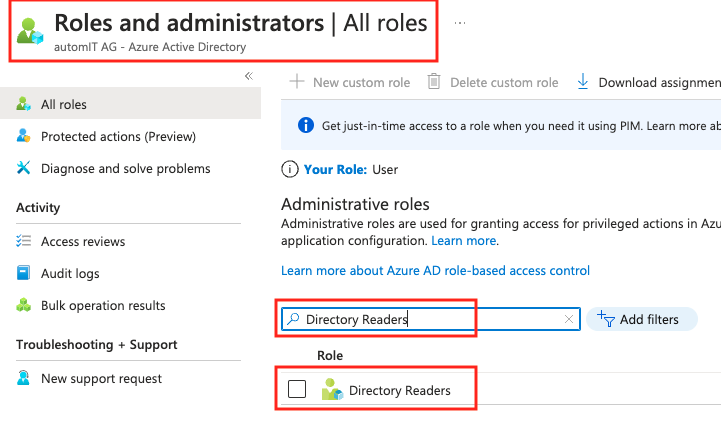
Go to “Roles and administrators” and search for the role “Directory readers”
-
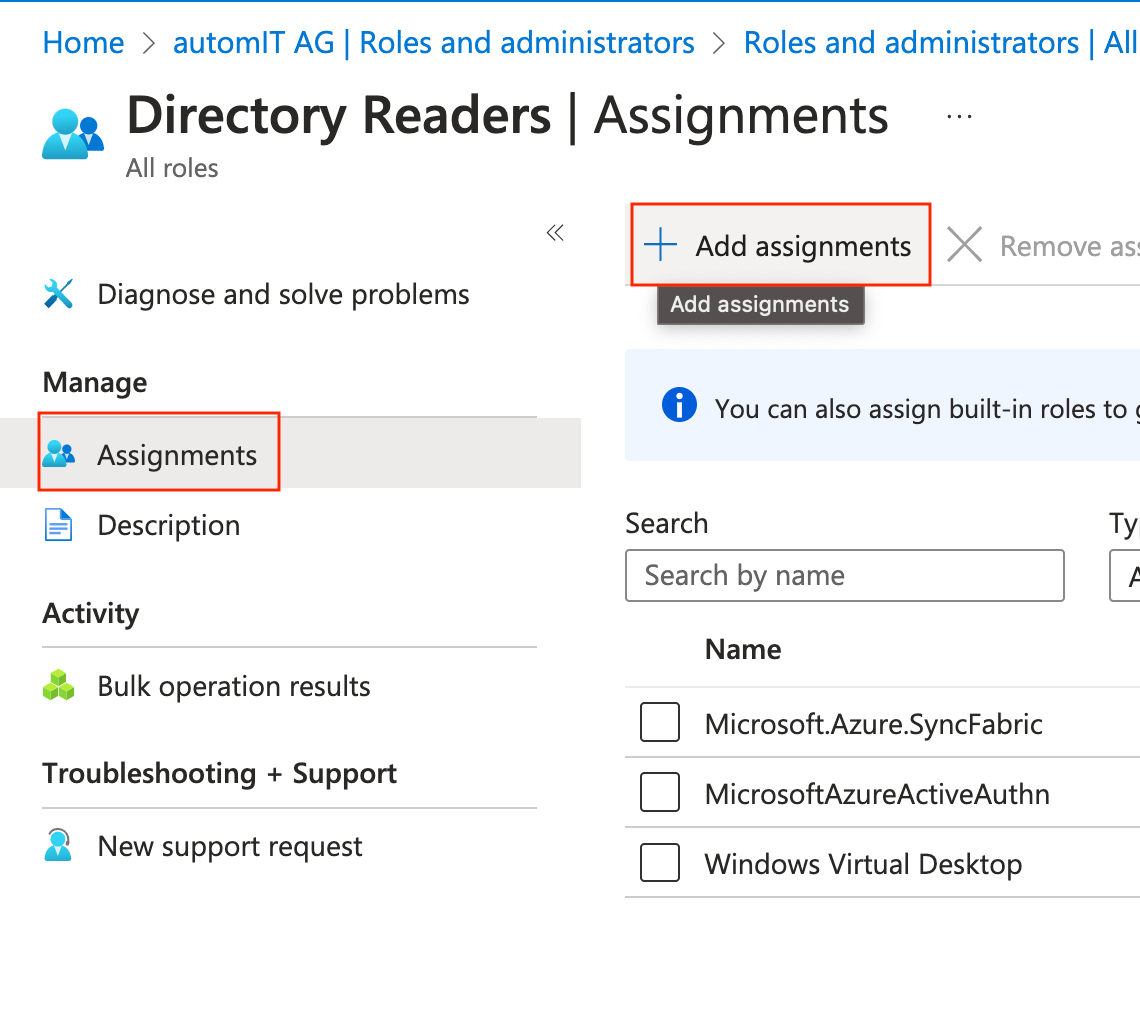
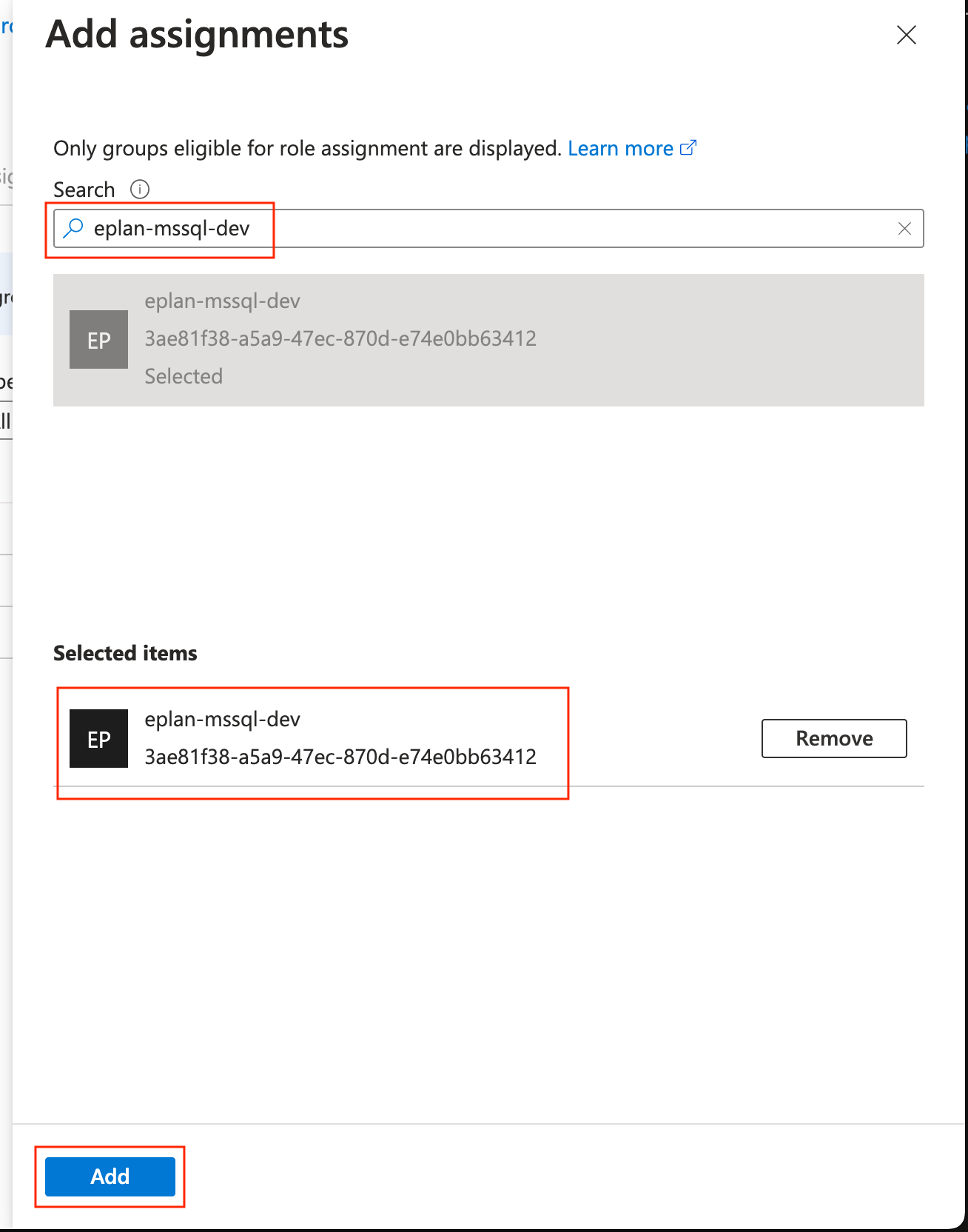
Choose the role “Directory Readers” and add the managed identity of the MSSQL VM
-
Go to “SQL virtual machine” and select “Security Configuration”
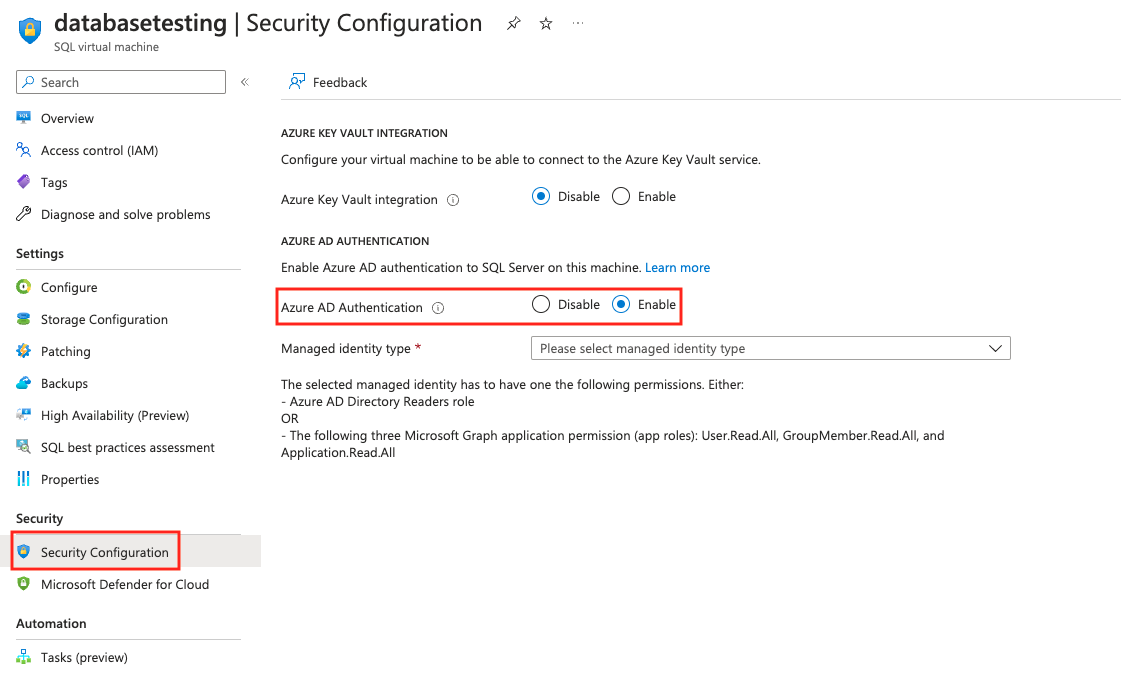
-
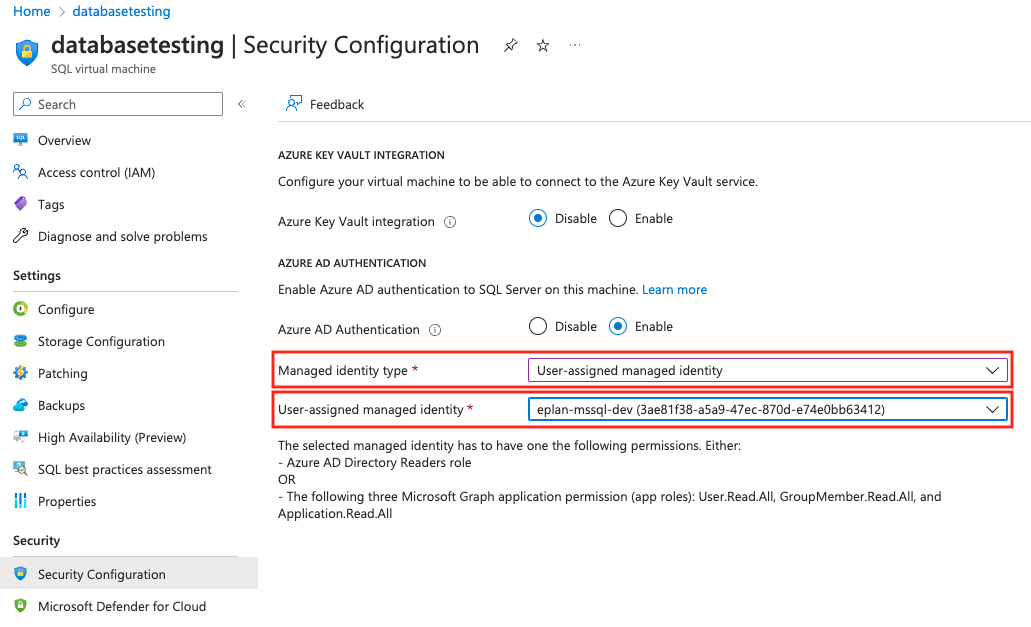
As “Managed identity type” choose “User-assigned managed identity” and enable “eplan-mssql-dev”
Allow Azure AD group members to access the database instance
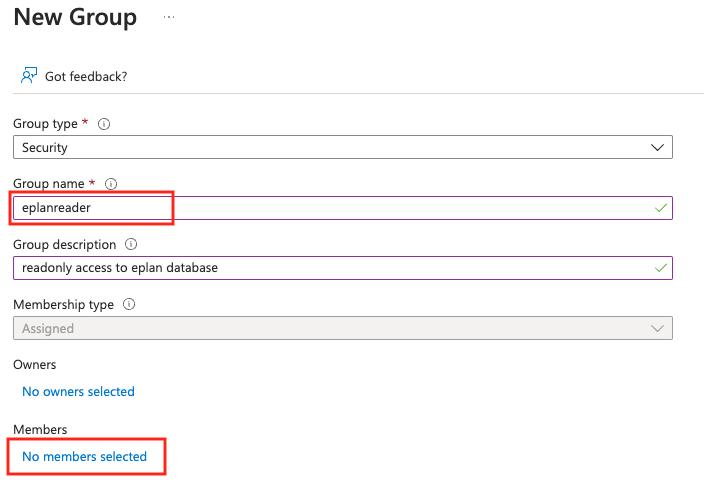
- Create a group in Azure AD and add members to this group.
Azure AD > Groups > New Group
- Login to the VM
- Start Commandline (CMD)
- At the prompt enter sqlcmd
- Create a login for the previously created Azure AD group
1> CREATE LOGIN eplanreader FROM EXTERNAL PROVIDER;
2> go
Login as Database Administrator
- Login into the VM as Administrator
- Start “SQL Server management Studio Management Studio” (SSMS)
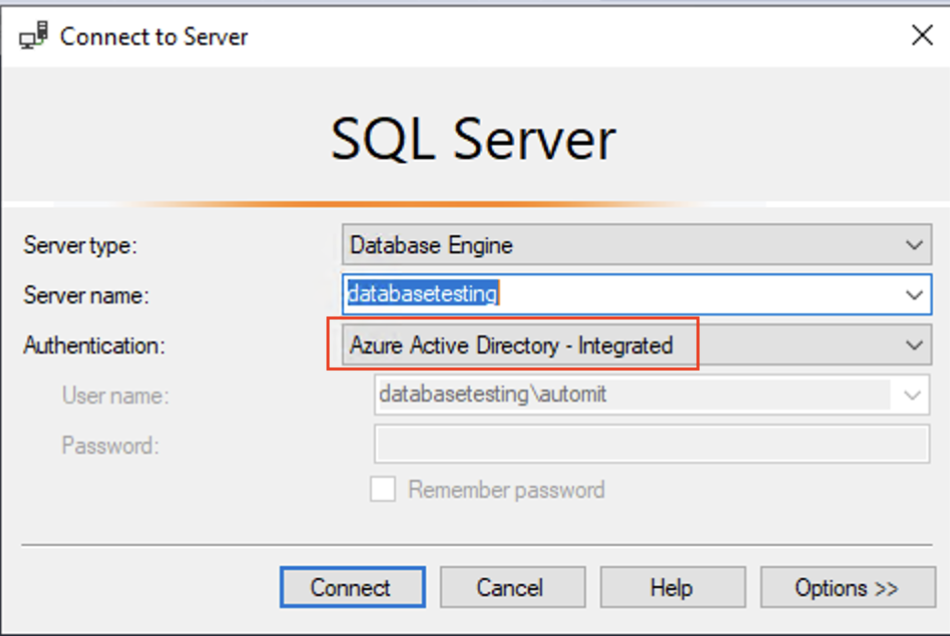
- Login with Authentication “Azure Active Directory - Integrated”